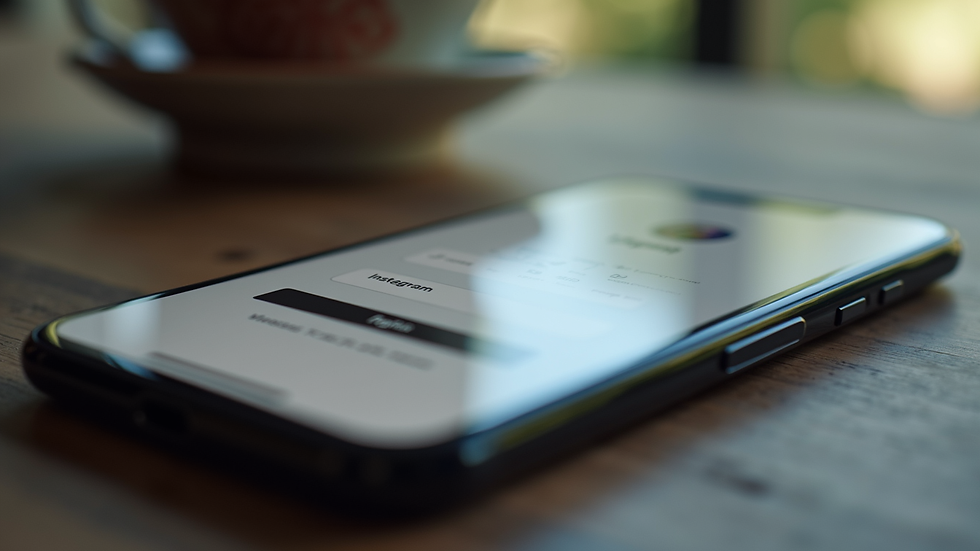
Enhancing Social Media Protection: Practical Steps to Secure Your Accounts
- Jan 31
- 3 min read
In today’s digital world, social media platforms are more than just places to connect with friends and family. They are hubs for sharing ideas, promoting businesses, and building communities. However, with this increased use comes the risk of unauthorized access and cyber threats. Protecting your social media accounts is essential to maintain privacy, reputation, and control over your online presence. Let’s explore practical ways to enhance your social media protection and keep your accounts safe.
Understanding the Importance of Social Media Protection
Social media protection is not just about preventing hackers from breaking into your accounts. It’s about safeguarding your personal information, preventing identity theft, and avoiding the spread of misinformation through your profiles. When your account is compromised, it can lead to serious consequences such as financial loss, damaged relationships, and even legal issues.
To start, it’s important to recognize common vulnerabilities. Weak passwords, reused credentials, and lack of two-factor authentication (2FA) are frequent entry points for attackers. By addressing these weaknesses, we can significantly reduce the risk of unauthorized access.

Key Strategies for Effective Social Media Protection
Let’s break down the most effective strategies to enhance your social media protection. These steps are straightforward and can be implemented by anyone, regardless of technical expertise.
1. Use Strong, Unique Passwords
Passwords are the first line of defense. Avoid simple or common passwords like "123456" or "password." Instead, create strong passwords that combine uppercase and lowercase letters, numbers, and special characters. Each social media account should have a unique password to prevent a domino effect if one account is compromised.
Consider using a reputable password manager. These tools generate and store complex passwords securely, so you don’t have to remember them all.
2. Enable Two-Factor Authentication (2FA)
Two-factor authentication adds an extra layer of security by requiring a second form of verification beyond your password. This could be a code sent to your phone, a biometric scan, or an authentication app.
Enabling 2FA makes it much harder for attackers to access your account, even if they have your password. Most major social media platforms offer this feature, and it’s highly recommended to activate it.
3. Regularly Review Account Activity and Permissions
Keep an eye on your account activity. Many platforms provide logs of recent logins and devices used. If you notice any unfamiliar activity, change your password immediately and review connected apps or services.
Also, periodically check which third-party apps have access to your social media accounts. Revoke permissions for any apps you no longer use or trust.

How to Recognize and Avoid Common Social Media Threats
Understanding the types of threats you might face helps you stay vigilant. Here are some common risks and how to avoid them:
Phishing Attacks: These are attempts to trick you into giving away your login details through fake emails or messages. Always verify the sender’s identity and avoid clicking on suspicious links.
Fake Profiles and Scams: Be cautious about friend requests or messages from unknown people. Scammers often use fake profiles to gain trust and steal information.
Malware and Spyware: Avoid downloading files or apps from untrusted sources. Malware can steal your credentials or monitor your activity.
Public Wi-Fi Risks: Using public Wi-Fi networks can expose your data to hackers. Use a virtual private network (VPN) when accessing social media on public connections.
Best Practices for Maintaining Long-Term Social Media Protection
Security is not a one-time task but an ongoing process. Here are some best practices to keep your accounts secure over time:
Update Passwords Regularly: Change your passwords every few months to reduce the risk of long-term exposure.
Stay Informed About Platform Updates: Social media platforms frequently update their security features. Stay informed and enable new protections as they become available.
Educate Yourself and Others: Share knowledge about social media protection with friends and family. Awareness is a powerful tool against cyber threats.
Backup Important Data: Regularly save copies of your important posts, contacts, and messages. This helps you recover quickly if your account is compromised.
Taking Action Today for Safer Social Media Use
We all want to enjoy the benefits of social media without worrying about security risks. By following these practical steps, we can significantly improve our social media protection. Remember, the goal is to make it as difficult as possible for attackers to gain access.
For those looking to deepen their understanding, exploring resources on social media account security can provide valuable insights and tools.
Let’s commit to protecting our digital lives with the same care we give to our physical ones. Start today by reviewing your passwords, enabling two-factor authentication, and staying alert to potential threats. Your online safety depends on the actions you take now.
By embracing these strategies, we create a safer social media environment for ourselves and our communities. Let’s keep our accounts secure and enjoy the full potential of social media with confidence.